
Your first business
Set up your first FiveM business with Eleven Comercios: create the Qbox job, register it in /comerciosadmin, place the points, add products and open the tablet.
In this guide you register a sample business, a burger joint, and get it ready to sell. It takes about ten minutes.
1. Create the Qbox job
Every business is a qbx_core job. Add it to qbx_core/shared/jobs.lua with its grades. Mark the owner's grade with isboss = true:
['burgershot'] = {
    label = 'Burger Shot',
    defaultDuty = false,
    offDutyPay = false,
    grades = {
        [0] = { name = 'Employee', payment = 50 },
        [1] = { name = 'Manager', payment = 75 },
        [2] = { name = 'Owner', isboss = true, bankAuth = true, payment = 100 },
    },
},
- Ranks and wages are read from here. The tablet shows them but can't change them.
- The highest
isbossgrade has every tablet permission. The owner grants permissions to the other ranks from the tablet.
Restart the server so Qbox loads the new job.
2. Register the business in the panel
- Type
/comerciosadmin. - Under Businesses, press New business: pick the
burgershotjob, give it a display name and, if you like, a logo URL. - Set at least one business type. The built-in types are
RESTAURACION(restaurants),MECANICO(mechanics),OCIO NOCTURNO(nightlife),PERIODISMO(press) andTRANSPORTE(transport). The type decides which level ladder it uses and whether it gets delivery orders (onlyRESTAURACIONby default).
Saving also creates the business's company account.
3. Hire the owner
Give the player who will run the business the job, with the owner grade:
/setjob 1 burgershot 2
4. Place the premises points
The owner opens the tablet with HOME and goes to Business → Management → Points. For each point: stand on the spot, adjust the radius with the mouse wheel and confirm with ENTER (BACKSPACE cancels). These are enough to start:
| Point | What for |
|---|---|
| Duty | Clocking in and out. |
| Storage | The business inventory. Menu stock comes from here. |
| Counter | Where the employee leaves the order and the customer picks it up. |
| Card terminal | Where customers pay by card. |
| Crafting | The kitchen, if the business has recipes. |
The rest of the points and their limits are in Interaction points. An admin can also place them from the panel, on the business page (World tab).
5. Build the menu
- Put the products you are going to sell in the storage.
- On the tablet, go to Menu → Products and register each item with its price and category.
- Stock is worked out automatically from what's in the storage.
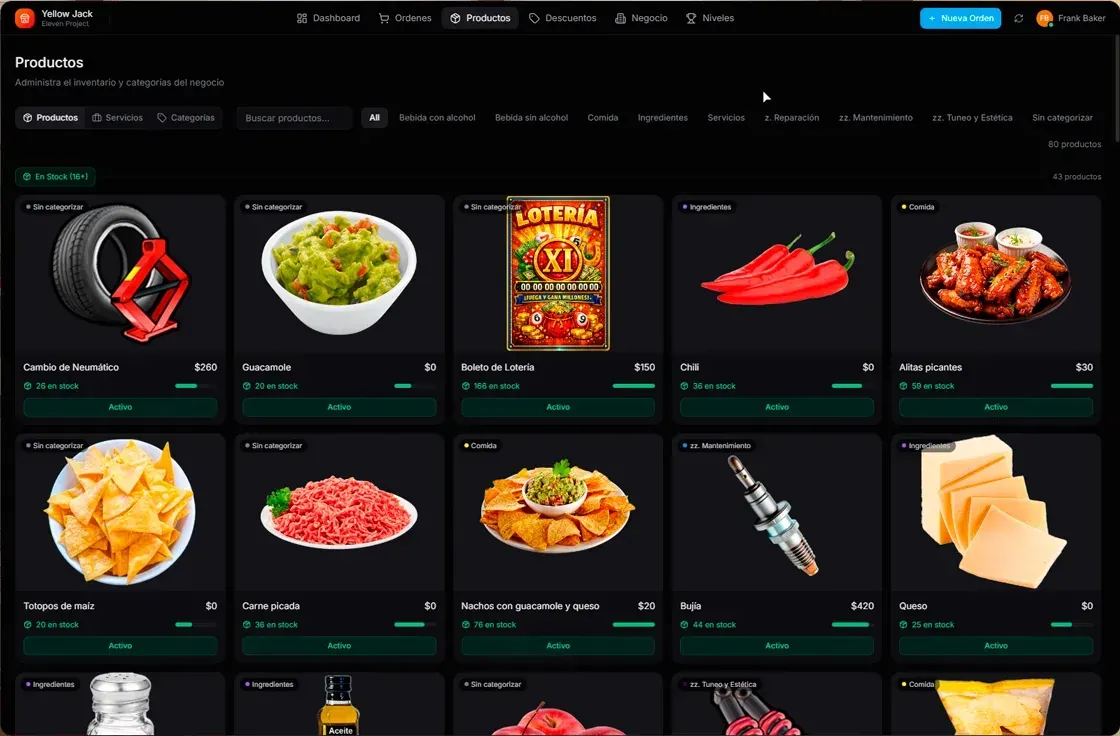
More in Menu, services and discounts.
6. First sale
- Clock in at the Duty point.
- Open the tablet and press New order.
- Pick products, customer and payment method. For card payments the customer pays at the card terminal.
- Move the order through the columns until Delivered.
How each payment method works: Orders and payments.
Next steps
- Assign recipes to the business: Recipes and crafting.
- Add it to a wholesaler type, such as the sample
Restauración: Wholesalers. - Offer it vehicles and licenses from the sample catalog on its page in the panel: Admin panel.
- Hand out permissions per rank: Opening the tablet and permissions.