
The tablet
How to open the Eleven Police MDT tablet in FiveM, which sections it has, what each officer sees by rank, the search bar, the notebook and the suspension lock.
Opening it
The tablet opens with HOME (Config.OpenTabletKey) and closes with the same key. Only players with one of the jobs in Config.PoliceJobNames can open it. Each player can rebind the key in GTA → Settings → Key Bindings → FiveM → "Open Police CAD".
With Contracts on, the police_tablet item lets a non-police player open it, only to sign what was sent to them.
What each officer sees
Three things decide what shows up, in this order:
- The flag. A section turned off in
Config.FeatureFlagsis not in the menu or the search. See Feature flags. - The permission. Each action of each section is granted per grade from the tablet. See Permissions.
- The department. Some sections split data by department: agreements, suspensions, badges, dispatch columns.
The server checks the permission on every request, not just when drawing the menu.
The sections
| Section | What it is | Flag |
|---|---|---|
| Dashboard | Today's stats, highlighted notes, officer of the month | — |
| Requests | Inbox with the contracts waiting for you | contratos |
| Briefings | Department notice wall | briefings |
| Citizens | Citizen file search | — |
| Depot | Impounded vehicles | deposito |
| Vehicles | Vehicle files and plate search | — |
| Officers | The roster: hire, promote, suspend | — |
| Divisions | Internal units of the department | divisiones |
| Awards | Decoration catalogue and granting | condecoraciones |
| Diplomas | Template and awarded diplomas | diplomas |
| Contracts | Issue and archive contracts | contratos |
| Licenses | Internal training licences | licencias |
| Bodycams | Cameras of on-duty officers | bodycams |
| Warehouse | Contents of the station stashes | almacen |
| Shop | Equipment orders | tienda |
| Cells | Jail, inmates and release | celdas |
| Incidents | Incident reports | — |
| Legal | Penal code | legal |
| Agreements | Payment agreements with businesses | convenios |
| Gallery | Photos taken from the tablet | galeria |
| Time record | Clock-ins and clock-outs | jornada |
| Permissions | The panel that hands out all of the above | — |
| Notebook | The officer's personal notes | libreta |
The top bar also has Radio and Dispatch. See Radio and Dispatch.
Note
Transactions, Accounts and Car rentals read data from Eleven resources that are not included. They switch off on their own if you don't have those resources. See Feature flags.
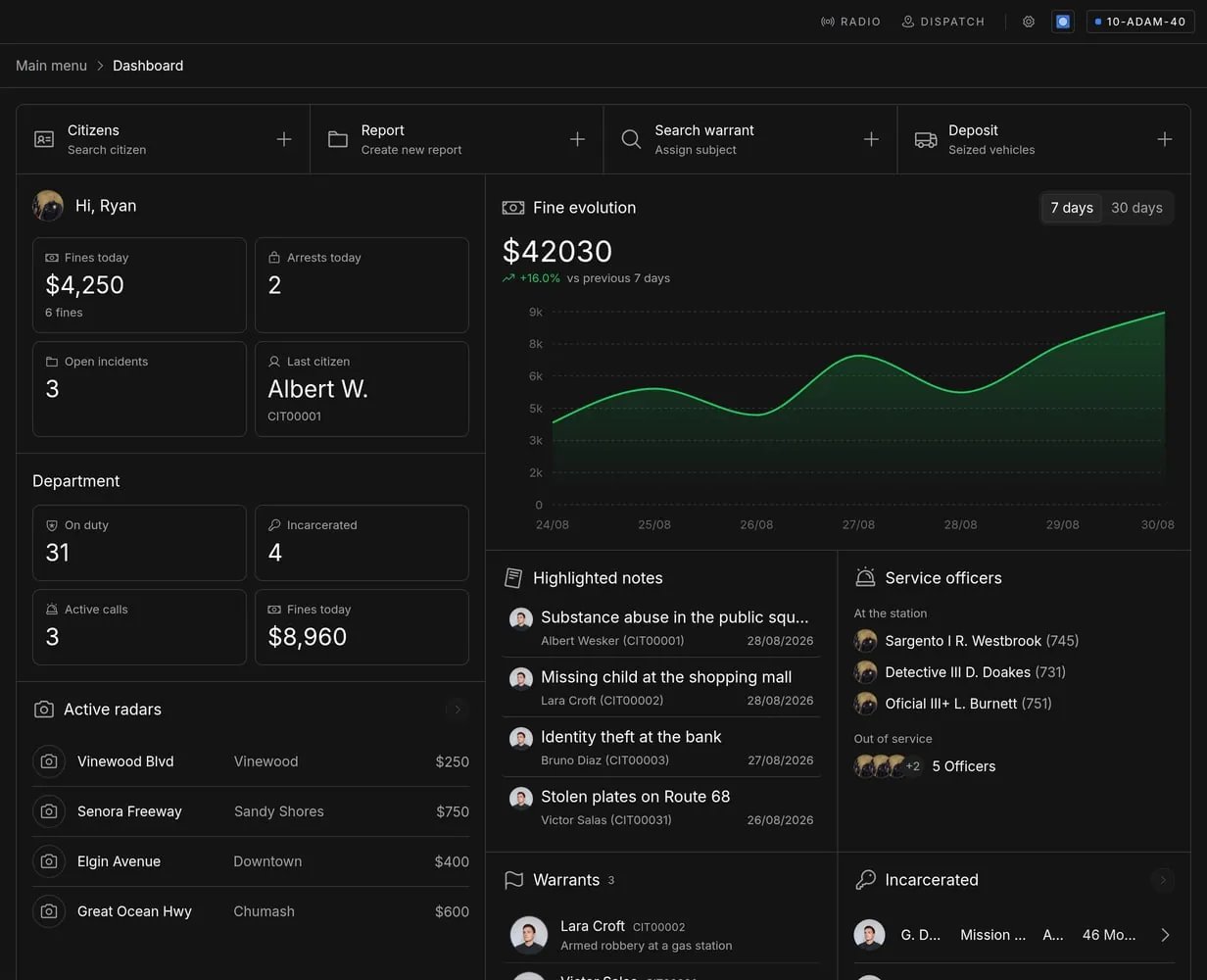
Search and tabs
- The search bar understands section names, citizens, officers, plates and incidents, and respects permissions.
- Each file opens in its own tab in the top bar, so you can work with several at once.
- In Settings (the gear in the top bar) each officer picks their theme, language and other personal preferences.
Notebook
The officer's personal notes. Config.LibretaQuickNoteKey (default J) opens a quick note without opening the tablet. false removes that key; the notebook inside the tablet stays.
Suspended officer
An officer with an active suspension opens the tablet and only sees the reason and the time left. The server rejects every section request while it lasts. See Department.