
Speed radar, speed cameras and heli cam
Vehicles and air package for FiveM: hand-held radar with HUD, speed cameras that fine the owner via OnFine, heli camera, its fuel and traffic zones.
What it brings
| Module | Flag | Where it is used |
|---|---|---|
| Hand-held radar | radarMano | HUD inside the patrol car |
| Speed cameras | radares | The tablet's Radars section and the map |
| Helicopter camera | helicam | Inside an allowed helicopter |
| Helicopter fuel | heliCombustible | Any helicopter |
| Traffic zones | trafico | /trafico |
None of them needs items.
Hand-held radar
A speed radar on the patrol car HUD. It reads the speed and plate of the vehicles in front of you (50 m, in a 28° cone) and warns if a vehicle is wanted.
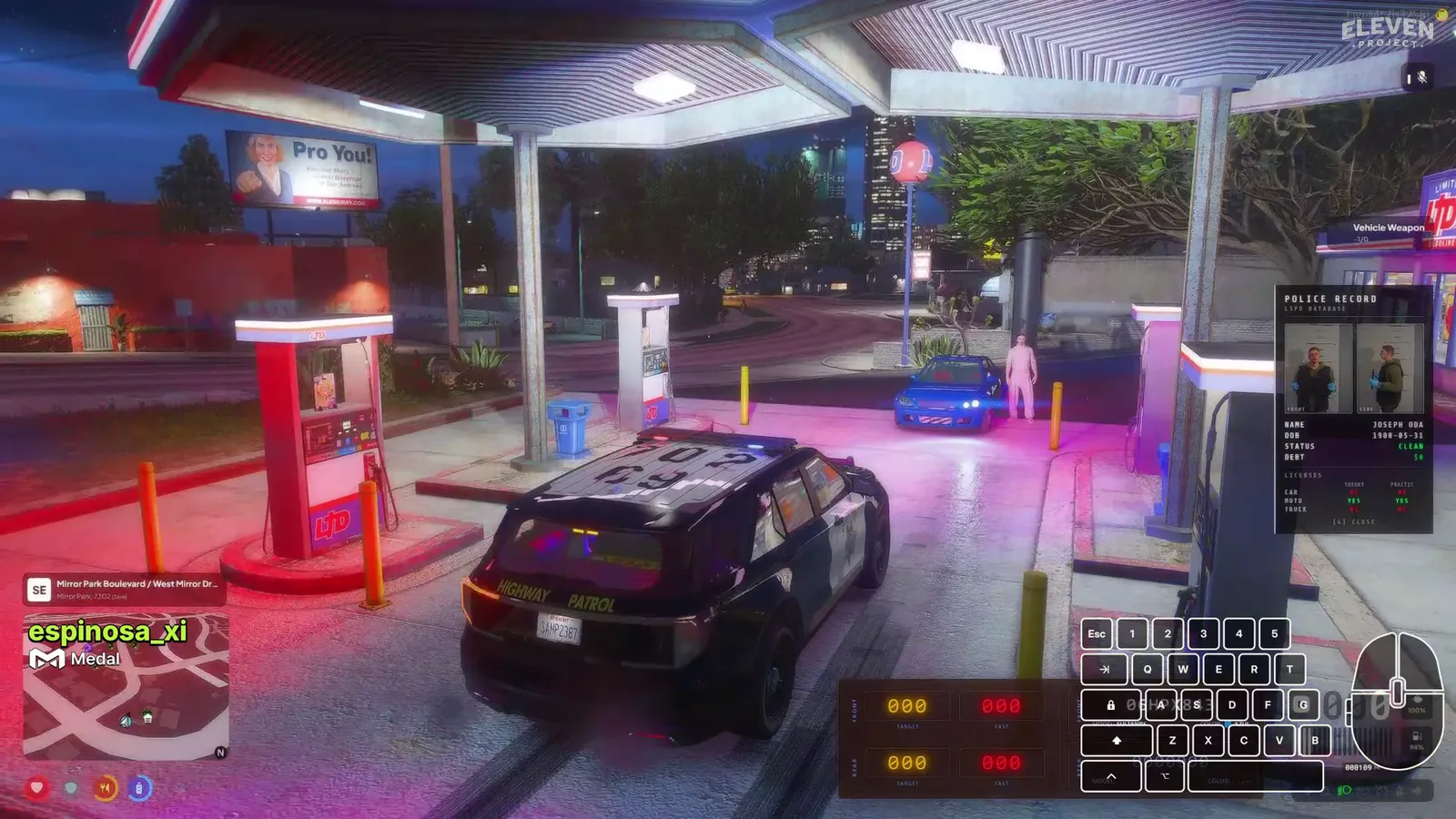
- When it shows: while on duty and inside a GTA emergency vehicle (class 18, almost every GTA police car and most packs). It opens automatically when you get in; each officer can turn auto-open off.
U(/radar-lock): locks or unlocks the reading.G(/radar-ficha): looks up the police file of the plate read./radar-editor: opens the radar settings panel.- Theme: each officer picks it in tablet → Settings → Radar (classic, earth, green or mini).
The keys are defaults: each player can change them in GTA → Settings → Key Bindings → FiveM. Speed is shown in mph.
Anti-metagaming. A plate without an owner (NPC traffic) returns a made-up file in the same format as a real one, so the lookup does not reveal whether a player is inside. The file is derived from the plate: the same car always gives the same one, and it is never wanted.
Settings in config/radarhud.lua, with Config.Overrides (['RadarConfig.MaxRange'] = 70.0…):
| Key | Default | What it is |
|---|---|---|
AllowedJobs | {} | Empty = the jobs in Config.PoliceJobNames |
RadarVehicles | {} | Specific models, e.g. { 'police', 'police2', 'sheriff' } |
RadarVehicleClasses | { [18] = true } | GTA vehicle classes. With both lists empty, it works in any vehicle |
AutoOpenDefault | true | Auto-open for new officers |
LockKey / FichaKey | 'U' / 'G' | Default keys |
MaxRange / MaxAngleDeg | 50.0 / 28.0 | Range and cone angle |
SyntheticFiles | true | Made-up files for plates without an owner |
SyntheticAllowWanted | false | Allow a made-up file to be wanted |
Theme | 'default' | Default theme: 'default', 'earth', 'green' or 'minimal' |
Speed cameras
Speed cameras placed on the map that fine automatically. The tablet's Radars section is back: a list with name, location, limit, price, status and who installed it, and from there you add, edit, turn on or off, set a route, ping on the map, reposition the prop or the zone, and delete.
- Placing: from the tablet, Add radar. Pick one of the three models in
Config.RadarPropsand place it by dragging withobject_gizmoor, without it, with the arrow keys. - Tiers: each camera has its own speed and price tiers. A new one starts with
Config.RadarDefaultTiers(60, 80 and 100 mph → 100, 250 and 500). The highest tier the driver reaches is fined. - Wanted: if a car with a wanted plate drives past, dispatch is alerted.
- Exempt: on-duty police are never fined; also the jobs in
Config.Radars.ExemptJobswhile on duty (by default,ambulance). - Sabotage: anyone can sabotage a camera with ox_target and a minigame, or break it with gunfire, fire or an explosion. Once broken it stops fining and cannot be repaired for 45 minutes. After that it does not fix itself: a police officer repairs it with ox_target (Repair radar) or it is turned back on from the tablet.
Section permissions: Radars → view (everyone), create, edit and delete (command grades). See Permissions.
By default they are GTA V props (a camera pole, a camera and a parking meter). BzZz's speed cameras (bzzz_pdradar) are highly recommended. See General configuration.
Who pays the fine
The fine goes to the vehicle owner, through your billing system (Config.InvoiceType) or, with 'money', charged on the spot (Config.MoneyType). A vehicle without an owner pays nothing and the flash does not go off. See External systems.
To charge a company, a fleet or whoever is renting the car, use the OnFine hook in your config.lua. Writing OnFine is enough: the keys you leave out (ExemptJobs, MaxDistanceMargin) keep their default.
Config.Radars = {
    OnFine = function(fine)
        -- fine.plate, fine.amount, fine.ownerCitizenId, fine.driver (id),
        -- fine.driverCitizenId, fine.speed, fine.limit, fine.radarId...
        -- return true      -> you charge it yourself (not billed)
        -- return 'CID123'  -> billed to that citizenid
        -- return nil       -> billed to the owner
        if GetResourceState('my_rentals') == 'started' then
            return exports.my_rentals:getRenter(fine.plate)
        end
    end,
}
OnFine can also change fine.amount. If it errors, the error is logged in the console and the fine goes ahead as normal. For your logs, there is the eleven_police:radar:fine server event. See Exports and hooks.
Helicopter camera
A camera with zoom, night and thermal vision, a spotlight and vehicle lock for the police helicopter.
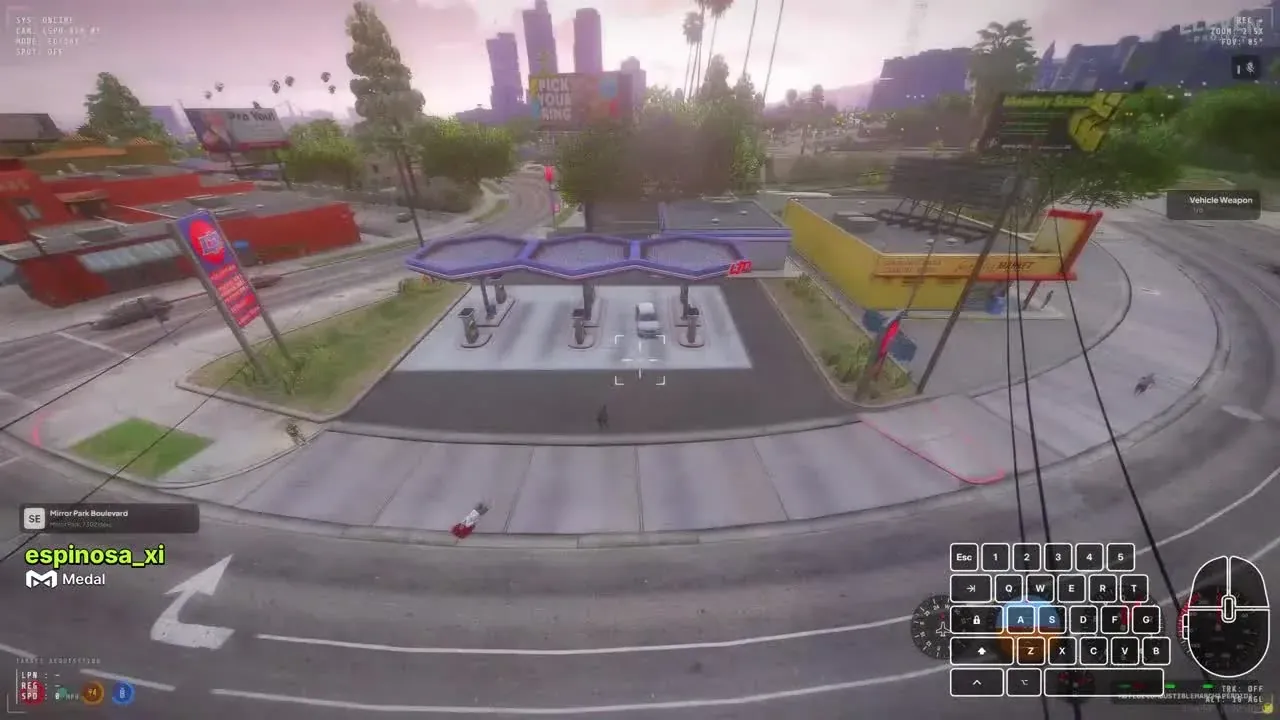
| Key | Command | What it does |
|---|---|---|
E | /helicam | Open and close the camera |
G | /helispot | Turn the spotlight on and off (every player sees it) |
H | /heli_ficha | Police file of the player or vehicle you are aiming at (police only) |
Space | — | Release the locked vehicle |
R | — | Switch vision: day, night and thermal |
| Mouse wheel | — | Zoom |
- Where: in the helicopters listed in
AllowedHelis(by defaultpolmav,annihilator,annihilator2andbuzzard2). For pack helicopters, add their spawn name. - Who: on-duty police (jobs in
Config.PoliceJobNames) and, in addition, the jobs inAllowedJobs(by defaultambulance). Those other jobs use the camera, spotlight and lock, but cannot look anything up: the file (record, debts, wanted status) and a plate's owner are for police only. - Locking a vehicle is automatic: keep the camera centre on it for half a second to a second.
- Identifying a player takes 5 seconds of continuous aiming, below 30 m above the ground, and a mask prevents it.
- A player's file is only given if they are near the helicopter.
- Thermal vision: the police always have it.
ThermalJobsare the jobs that also get it (by defaultambulance); everyone else gets day and night. To take it away from ambulances:Config.Overrides = { ['HeliCamConfig.ThermalJobs'] = { ambulance = false } }.
Settings in config/helicam.lua, with Config.Overrides (HeliCamConfig.*): helicopters and their camera position, jobs, zoom, sensitivity, spotlight range and brightness, and lock timings.
Helicopter fuel
With the engine running, the helicopter burns fuel: a full tank lasts 15 minutes. Idle, it burns nothing.
The level is written to the GTA engine and to the fuel entity statebag, the one ox_fuel uses. If your fuel system reads either of the two, it refuels as usual. If it stores fuel somewhere else, turn the module off: Config.FeatureFlags.heliCombustible = false.
Settings in config/helifuel.lua, with Config.Overrides (HeliFuelConfig.*): minutos (15), tickMs, clases (class 15, helicopters, by default) and modelos to include or exclude specific models.
Traffic zones
With /trafico, the on-duty officer opens the traffic panel and creates zones on the map:
| Zone | What it does |
|---|---|
| STOP | Stops every NPC vehicle in the radius |
| REDIRECT | Diverts NPCs along a route of waypoints (minimum 2, maximum 30) |
| DELETE | Removes NPCs that enter the radius |
| SIGN | An LED panel with your text, size and blinking, visible to every player |
- Each zone is temporary or persistent (saved in the database, it stays after a restart). Temporary zones can only be changed by their author; persistent ones, by any authorised officer.
- From the panel: your zones, all zones, enable or disable, go to the zone with the GPS, rename, edit the sign, delete, and clear all of yours at once.
/trafico-ocultarcycles which markers you see: only your zones, all of them or none.- Limits: 10 zones per officer and 200 on the server.
Settings in config/trafico.lua, with Config.Overrides (TraficoConfig.*):
| Key | Default | What it is |
|---|---|---|
Job | nil | Who can use it: nil = Config.PoliceJobNames, or a job name, or a list |
MinGrade | 0 | Minimum grade |
Command / CommandHide | 'trafico' / 'trafico-ocultar' | Command names |
MaxZonesPerPlayer / MaxZonesGlobal | 10 / 200 | Limits |
DefaultRadius, MinRadius, MaxRadius | 8 / 2 / 30 | Zone radius, in metres |
Cartel | — | Default text, maximum length (200), sizes and blinking of the sign |
With the trafico flag off, neither /trafico nor /trafico-ocultar exist.