
Dispatch
911 calls, units and callsigns in the Eleven Police MDT dispatch for FiveM: keyword categories, mini-dispatch keys, POLICE FIND and external calls.
What it is
Dispatch is the street grid: who is on duty, in which unit and which calls are open. It lives in the tablet and also outside it, in a mini-dispatch you drive with hotkeys.
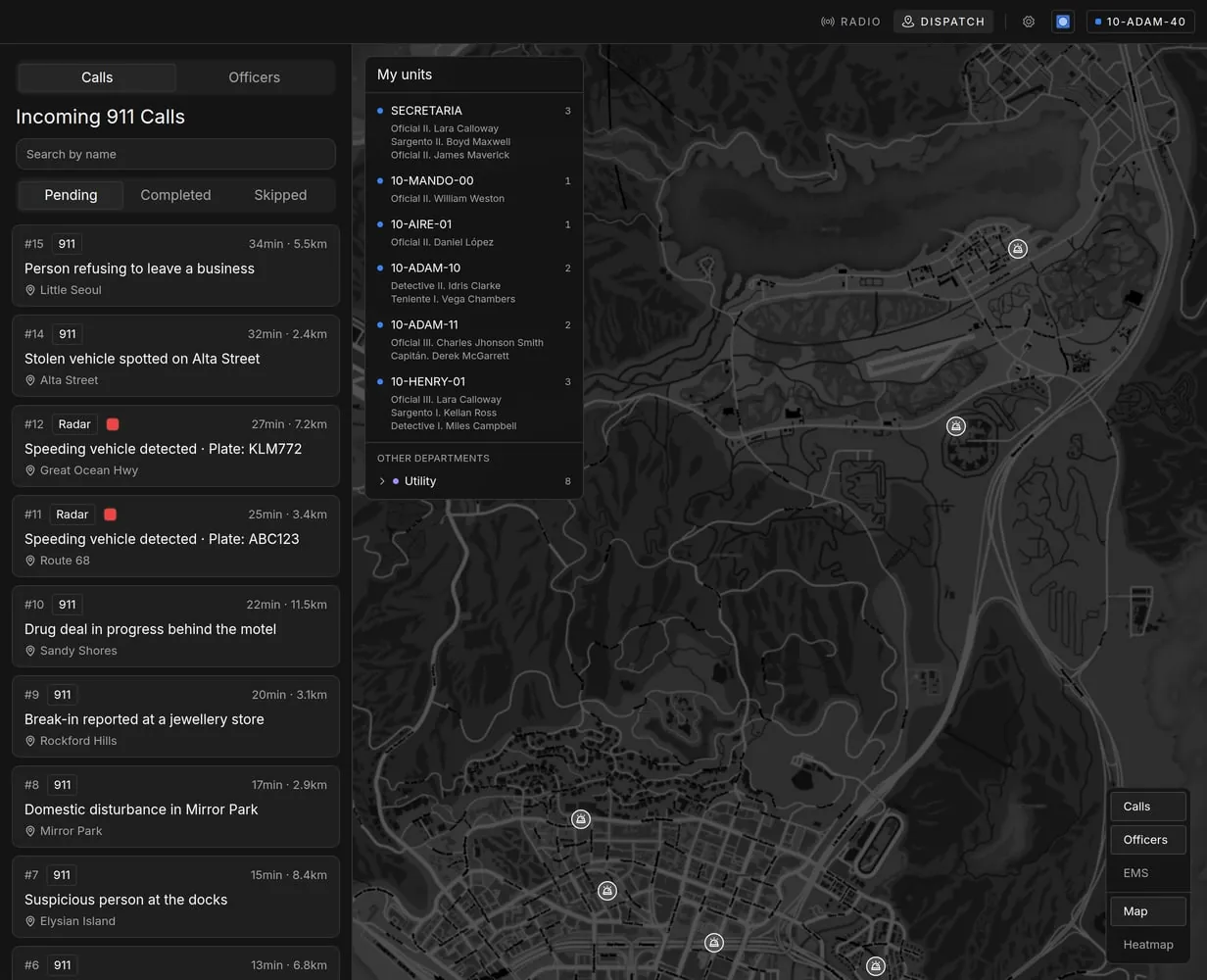
If you already run your own dispatch, turn this one off completely with the dispatch flag.
How a call comes in
- A citizen calls with
/entorno <text>(Config.Dispatch.callCommand). The call includes their street and position. There is a minimum wait between calls so nobody can flood the police. - An officer from the Codes tab of the mini-dispatch: 10-20 (their position) or PANIC. With Patrolink, also their radio emergency button.
- Another resource sends it. See Exports and events.
Each call is classified automatically: Config.Dispatch.categories looks for keywords in the text, which set the colour, icon, code (187, 211, 415…) and blip. By default there are categories for homicide, kidnapping, shootings, armed person, robberies, pursuits, drugs, fights, assaults and accidents. The list is yours: add, remove or change keywords. The default keywords are Spanish, so add your own words if your players write in English.
Config.Dispatch key | Default | What it does |
|---|---|---|
callCommand | 'entorno' | The citizen command |
maxCalls | 60 | Calls kept on screen |
expireMinutes | 30 | Minutes until a call expires and moves to the archive |
noAssignment | 'Unassigned' | Label for an officer without a unit |
discordWebHook | '' | Webhook URL to post calls to Discord. Empty sends nothing |
usernameWebhook, authorWebhook, avatarWebhook | — | Name, author and avatar of the Discord message |
categories | table | Categories and their keywords |
defaultCategory | table | Used when no category matches |
Units and callsigns
Config.Assignments defines the board: one column per department and, inside it, its callsigns. An officer takes a callsign, which sets who they are on the radio, on the map and on the call they respond to.
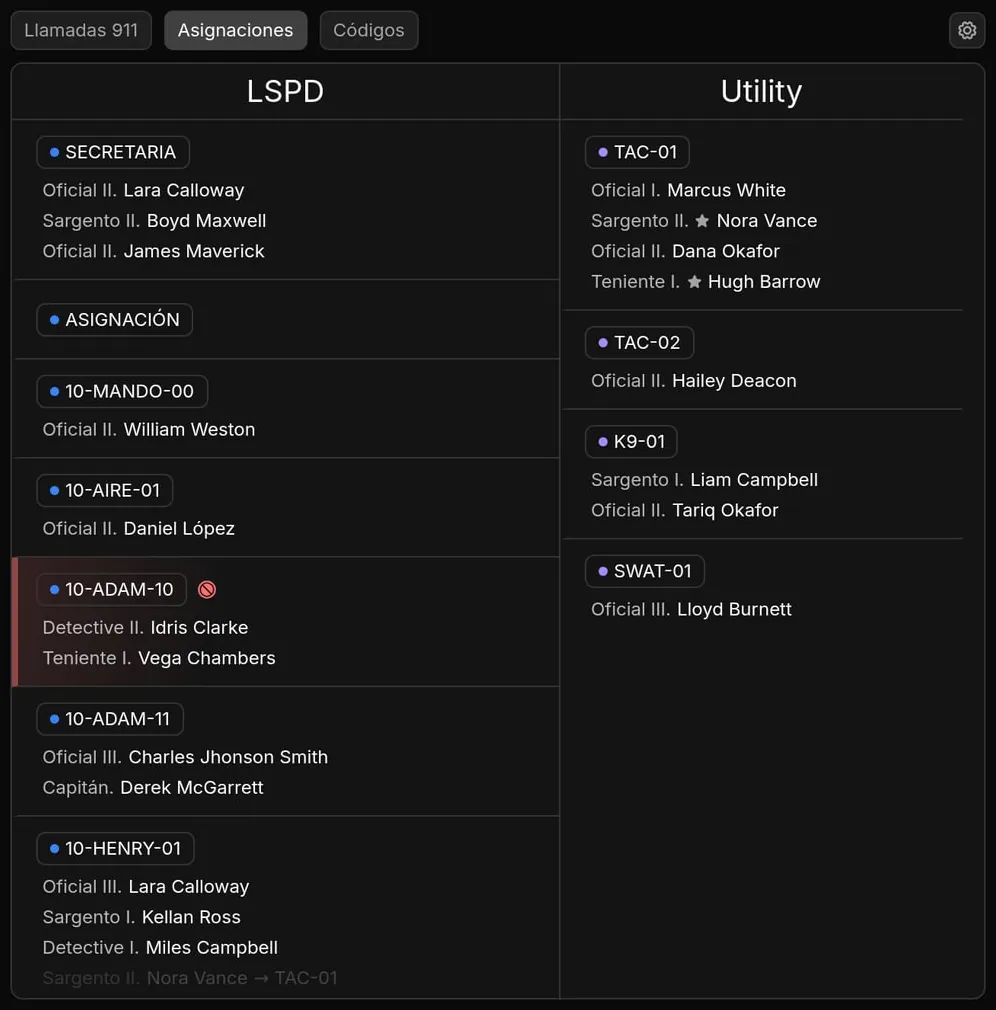
- A callsign with
permission = truecan only be taken by someone with command permission. - A column with
shared = trueis visible to every department (TAC, K9, SWAT). - A column with
restricted = trueis only visible to its own department, which cannot see the others. /unidadocupadatoggles your unit between busy and available.- Going off duty, or disconnecting, frees the assignment automatically.
With Config.DispatchJurisdiccion, calls are split by area (north/south based on map height). Empty by default.
Mini-dispatch
Without opening the tablet:
| Key | What it does |
|---|---|
N | Open the dispatch sheet |
Left Alt | Focus the mini-dispatch |
Page Up / Page Down | Previous / next call |
Q / E | Previous / next tab |
End | Assign yourself to the selected call |
All of them can be rebound in the FiveM settings. The Codes tab sends radio codes, the 10-20 and PANIC, which alerts the whole department.
Colleagues on the map
With referencias, on-duty officers appear on the map with a colour and icon based on their unit. Each officer can change their colour with /policeblip-N and their icon with /policeicono-N; only they see it. See Commands and keys.
With dispatchCallerId (off by default) the call card shows the player ID of whoever sent it.
POLICE FIND
The tablet's global search looks in citizens, officers, vehicles, weapons, incidents and, with findAlerts, the call archive: which calls a plate appeared in, what was said and when. It respects permissions.