
Trying on and buying
How players use the Eleven Outfits catalog: open it at a clothing shop, filter by style, try looks for free, turn the camera and buy the whole outfit.
Opening the catalog
- Walk into an illenium-appearance clothing shop with an MP character.
- Open the shop menu and pick Outfit catalog.
The catalog only opens within Config.ShopRadius metres (15 by default) of an illenium-appearance store of type clothing. Further away, players get "The catalog only opens at clothing shops".
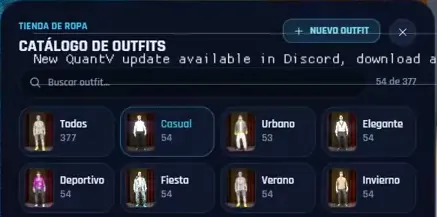
Searching and filtering
- Styles: the grid at the top filters by style and shows how many outfits each one has. All clears the filter.
- Search: filters by name. The counter on the right shows how many outfits match out of the total.
- Gender: each player only sees outfits created for their model (male or female).
Trying on
Click a card to try the outfit on. Trying on is free and does not change your clothes: if you close the catalog without buying, you are back in what you wore before.
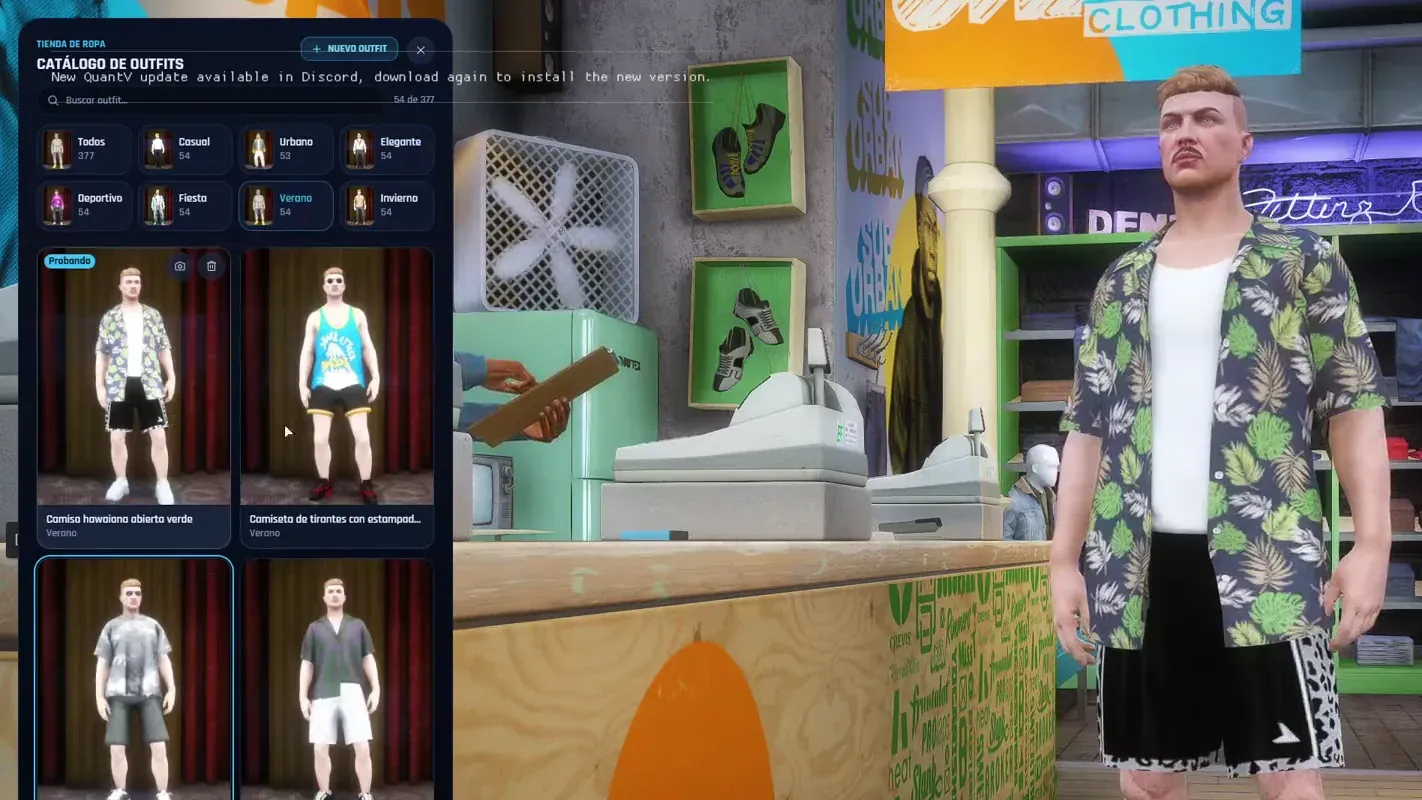
| Action | How |
|---|---|
| Rotate the character | Drag with the mouse over the scene, or use the rotate buttons at the bottom right. |
| Zoom in or out | Mouse wheel, or the zoom buttons. |
| Next or previous outfit | ← → arrow keys, or the arrows in the bottom bar. |
| Stop trying | Stop trying in the bottom bar. |
The camera frames the full body. Its values (distance, height, minimum and maximum zoom) are in Config.Camera.
Buying
While an outfit is being tried on, the bottom bar shows its name, your balance and the price. Press Buy.
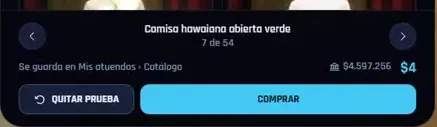
- It is paid from the
Config.Accountaccount (bankby default, orcash). - The price is what changing clothes costs in illenium-appearance (
Config.ClothingCost), unless you setConfig.Price. At price 0 it shows Free. - The outfit stays on and is saved in illenium-appearance's My outfits, where the player can put it on again any time.
- If you already own an outfit with that name (or buy it twice), it is saved as "Name 2", "Name 3"... Nothing gets overwritten.
- If saving fails, the money is refunded.
Tweaking before buying (optional)
With Config.Customize = true, players can change a few pieces before paying with the Your way button:
| Piece | What can change |
|---|---|
Torso (c11) | Colour only: each torso is tied to its arms and undershirt. |
Pants (c4) | Model and colour. |
Shoes (c6) | Model and colour. |
Hat (p0) | Model and colour, or take it off. |
Glasses (p1) | Model and colour, or take them off. |
Chain (c7) | Model and colour, or take it off. |
As it came undoes the changes. A tweaked outfit is saved in My outfits with (*) after its name.
Warning
With Config.Customize the server only checks that the garment numbers are valid, not illenium-appearance's blacklist. If you blacklist clothes in illenium, keep it false (the default).
When it closes by itself
The catalog closes and gives your clothes back if you move more than 3 m from where you opened it, change ped or die. Players see "The catalog was closed".
If the UI ever gets stuck, type outfitcatalog_close in the F8 console (rename it with Config.CloseCommand).