
Camera and Gallery
Eleven Phone Camera and Gallery for FiveM: photos and video with real zoom, selfie and timer, albums, trash, importing images by link and phone screenshots.
Camera
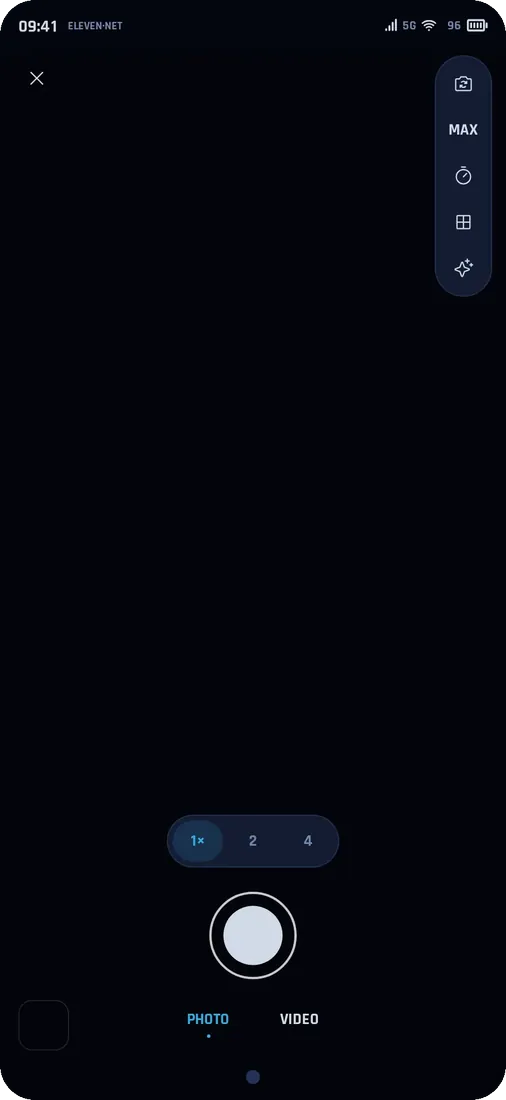
With the Camera open, the world is rendered from an actual game camera, not cropped from the screen. That's why the zoom is real and you can aim without turning your character.
- Photo and video. Videos last up to 30 seconds (and 12 MB) and record your voice and the voices of people nearby.
- Zoom from 1× to 7×, with the buttons or the mouse wheel.
- Selfie with the front camera, in an arm's-length pose.
- Aspect ratio 1:1, 3:4, 9:16 or full screen (MAX), a grid and a self-timer.
- Filters: Original, Mono, Sepia and Night.
Photos and videos are uploaded to FiveManage (or your own storage) and show up in the Gallery.
Important
The Camera needs screenshot-basic and the FiveManage key (setr eleven_phone_fivemanage_key). Without screenshot-basic it frames but can't shoot; without the key, photos never reach the Gallery. See Requirements.
Note
Game audio (engines, gunshots, the car radio) can't be recorded: it's produced by the game engine and the game's browser never receives it. If you don't want videos to pick up the voices of passers-by, set Config.Camera.Video.Voz.Cercanos = false.
| Key | Default | What it does |
|---|---|---|
Config.Camera.FovDefault | 70.0 | Field of view at 1×. |
Config.Camera.FovMin | 10.0 | Narrowest field of view: sets the maximum zoom (70 / 10 = 7×). |
Config.Camera.Video.MaxSeconds | 30 | Maximum video length. |
Config.Camera.Video.MaxMb | 12 | Maximum video size. |
Config.Camera.Video.Voz.Propia | true | Record your own microphone in videos. |
Config.Camera.Video.Voz.Cercanos | true | Also record the voices of nearby players. |
Gallery
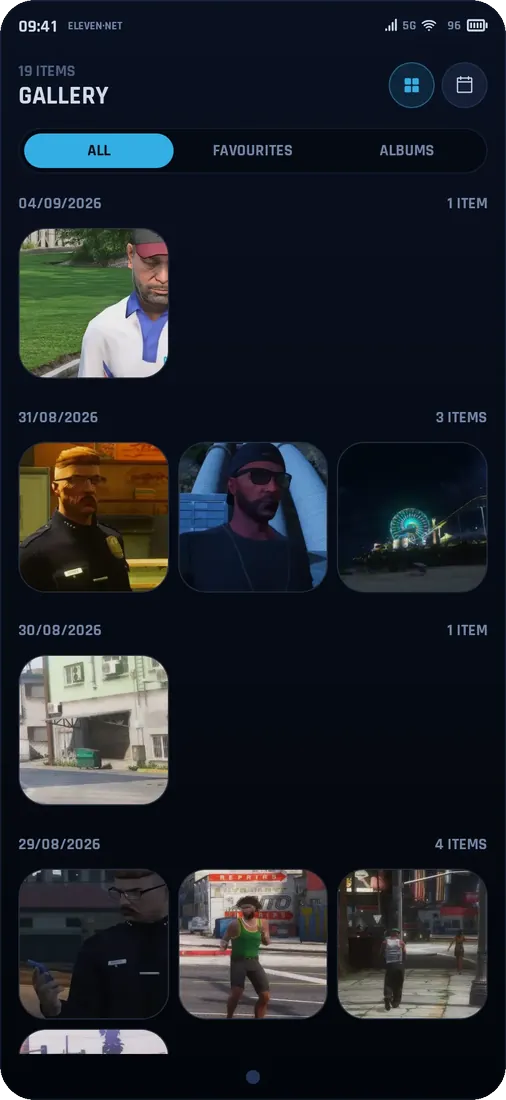
- Photos and videos by day, favourites, albums and trash.
- Share through Messages, Eco or AirDrop to someone nearby.
- Import an image by pasting its link, without going through the Camera. The gallery doesn't store files, only each photo's address: if the source site deletes it, it's gone.
- Photos and videos you receive in Messages are saved to your gallery automatically.
| Key | Default | What it does |
|---|---|---|
Config.Galeria.Importar | true | Button to import images by link. |
Config.Galeria.GuardarRecibidas | true | Save what arrives through Messages to the gallery (if it comes from a site in Dominios). |
Config.Galeria.Dominios | FiveManage, Discord, Imgur, Gyazo, ImgBB, Postimages, Tenor, Giphy | Sites images are accepted from. An empty list accepts any site. |
Screenshots
The Screenshot tile in the control centre saves an image of the phone screen to the Gallery, from where it can be sent through Messages or posted on Eco. The image comes from the phone's own interface, not from the game, but it needs somewhere to upload to: without the FiveManage key (or your own storage) the tile doesn't appear.
Remove it with:
Config.Captura = { Enabled = false }