
Media and video calls
Where Eleven Phone stores photos, videos and voice notes on FiveM (FiveManage or your own storage) and how to set up the TURN relay for video calls and lives.
Where photos, videos and audio are stored
The gallery doesn't store files, only each photo's address. Files are uploaded to a storage backend, chosen per media type:
Config.Subida = {
    Imagen = 'fivemanage',   -- 'fivemanage' or 'propio'
    Video  = 'fivemanage',
    Audio  = 'fivemanage',
    Url    = '',             -- your own storage endpoint
}
FiveManage (default)
Works without setting anything up. The game's browser uploads directly, so file size doesn't matter. All you need is the key in server.cfg:
setr eleven_phone_fivemanage_key "YOUR_KEY"
Warning
setr replicates the key to clients: a player can read it. Use a FiveManage key dedicated to the phone.
Your own storage
For servers with storage of their own. With 'propio' the server uploads: the interface hands it the file and the server makes the request, so the token never leaves the server. It's fine for photos; for large videos FiveManage is the better choice.
The endpoint in Config.Subida.Url receives a POST to Url?token=<secret> with the JSON body { "image": "<base64 or dataURI>" } and must answer 200 with { "url": "https://…" }. The token goes in server.cfg with set:
set eleven_phone_media_secret "YOUR_SECRET"
You can mix them: for example, images to your storage and video and audio to FiveManage.
Optional services
Two helpers for servers with their own infrastructure. They use the same token. Left empty, they're off.
| Key | What it does |
|---|---|
Config.Miniaturas.Url | Service that generates a thumbnail for a video that arrives without one. Receives { url } and answers { url = '<thumbnail>' }. |
Config.Rehospedar.Url | Service that copies photos coming from outside (pasted links) into your storage. Receives { url } and answers { url, bytes }. Videos and Audios extend it to those media. |
Voice notes
| Key | Default | What it does |
|---|---|---|
Config.NotasDeVoz.MaxSeconds | 60 | Maximum length of a voice note. |
Config.NotasDeVoz.MaxMb | 2 | Maximum size. |
Config.NotasDeVoz.BitrateKbps | 32 | Audio quality. |
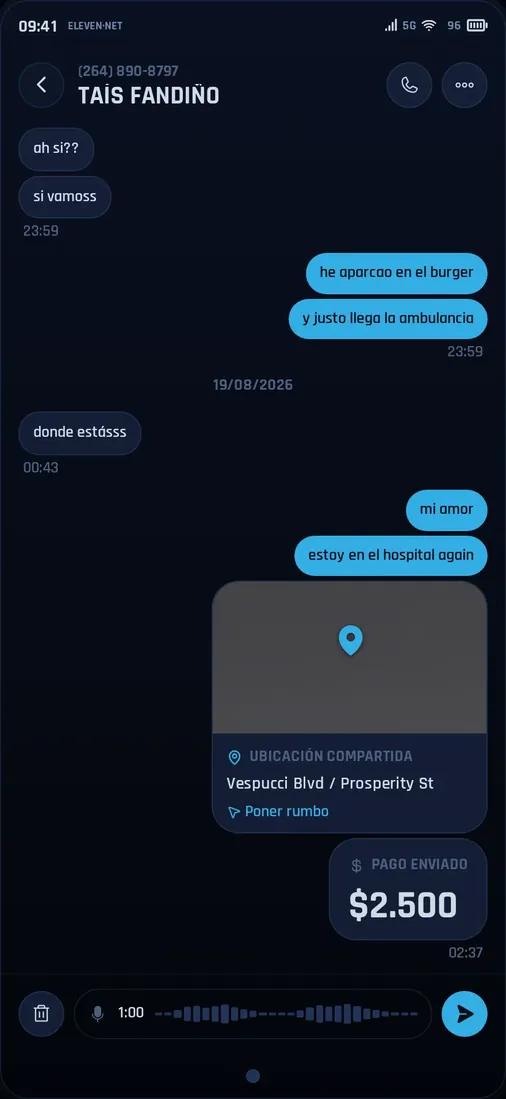
Without storage configured, Messages doesn't offer the microphone button.
Video calls and livestreams
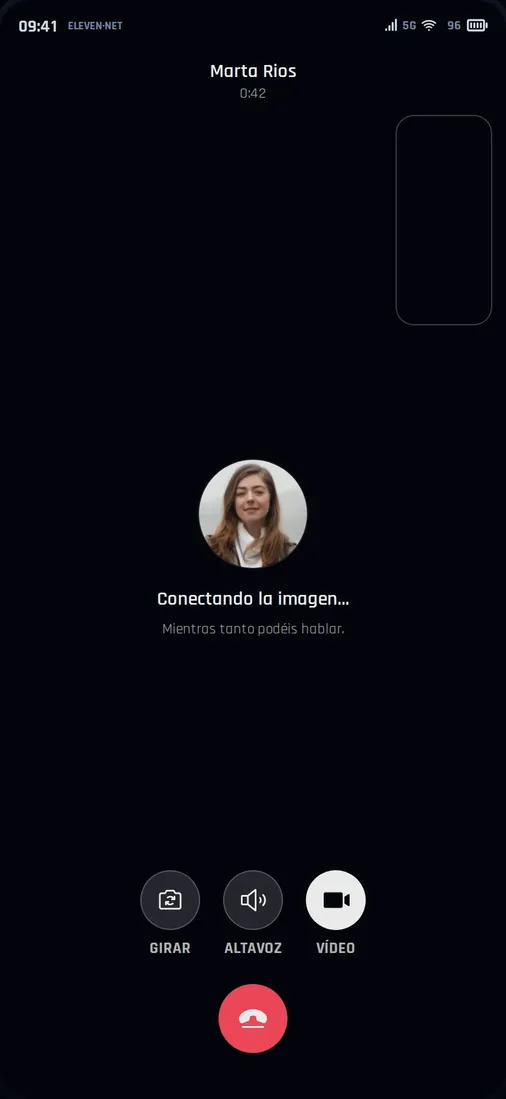
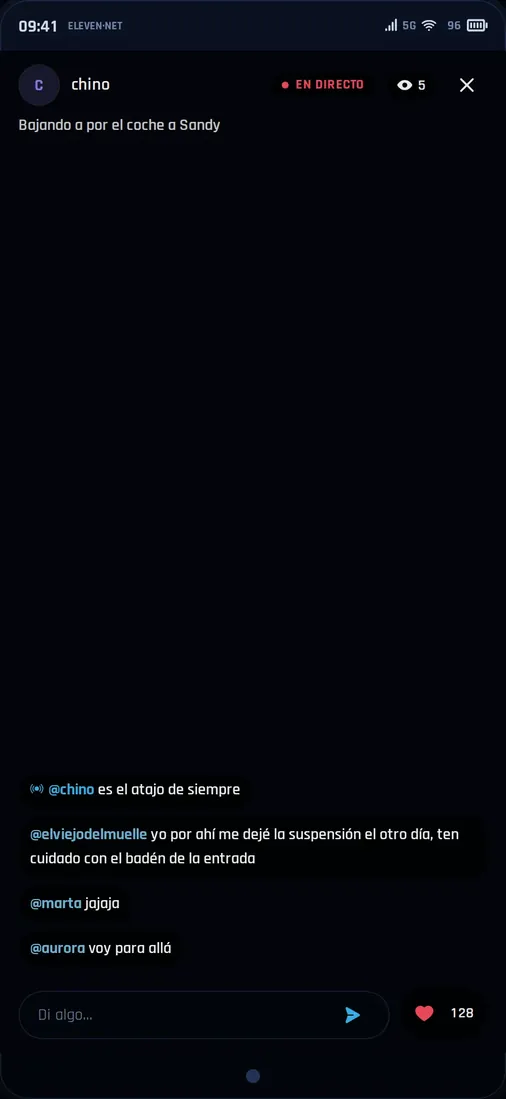
Video-call footage and Eco livestreams travel from player to player over WebRTC, without going through the server. To reach everyone, including players behind a symmetric NAT, you need a TURN relay.
Setting up Cloudflare TURN
- In the Cloudflare dashboard, go to Realtime → TURN and create a key.
- Copy its two credentials into
server.cfg, withset(they never leave the server):
set eleven_phone_turn_token_id  "…"
set eleven_phone_turn_api_token "…"
- Restart the server.
The server requests short-lived credentials only for players in a video call or livestream (valid for Config.WebRTC.Turn.TTL, 3600 seconds). Without TURN it falls back to plain STUN (servers in Config.WebRTC.IceServers), which is enough for most pairs; when it isn't, the screen says there's no picture instead of staying black.
Tip
If you won't set up TURN, turn livestreams off: Config.FeatureFlags = { directos = false }. In a video call the voice still works even if the picture doesn't arrive, but in a livestream the viewer has nothing else to watch.
| Key | Default | What it does |
|---|---|---|
Config.Videollamada.Enabled | true | Offer video during calls. |
Config.Videollamada.Fps | 24 | Frames per second sent. |
Config.Videollamada.Espera | 20 | Seconds the video offer waits before it's withdrawn. |
Config.Directos.MaxEspectadores | 8 | Maximum viewers per livestream. |
Config.Directos.Fps | 24 | Livestream frames per second. |
Voice in videos
A Camera video records your voice and, optionally, the voices of people next to you, which arrive from their phones over WebRTC.
| Key | Default | What it does |
|---|---|---|
Config.Voz.Cercanos | true | Record nearby players' voices. |
Config.Voz.Radio | 12.0 | Range in metres for picking up their voices. |
Config.Voz.MaxVecinos | 6 | Maximum nearby voices in one video. |