
Breathalyzer, fingerprints and mugshots
Eleven Police Evidence package for FiveM: breathalyzer with a printed ticket and a reading that drops over time, fingerprint scanner and mugshots.
What it brings
| Module | Flag | Items |
|---|---|---|
| Breathalyser | alcoholemia | alcoholimetro, resultado_alcohol |
| Fingerprints | huellas | kit_huellas, resultado_huellas |
| Mugshots | fotografia | — |
All three are used by on-duty police, and the server checks it. They work for jobs in Config.PoliceJobNames or of type leo. In all three, the subject must also be close to the officer and in the same routing bucket, and cannot be the officer themselves. The items can only be used with ox_inventory.
Results go to the citizen file in the tablet: the Breathalyser and Fingerprints tabs. See Citizen file.
Breathalyser
- The officer uses the
alcoholimetroon someone within 2.2 m (SEARCH_RADIUS). - The device opens for the officer and the subject at the same time: the subject blows (10 s) and the device analyses.
- It shows the reading in mg/L of exhaled air and whether it is positive or negative against the legal limit.
- The officer gets a printed ticket, the
resultado_alcoholitem (use it to read it), and the test is saved on the file.
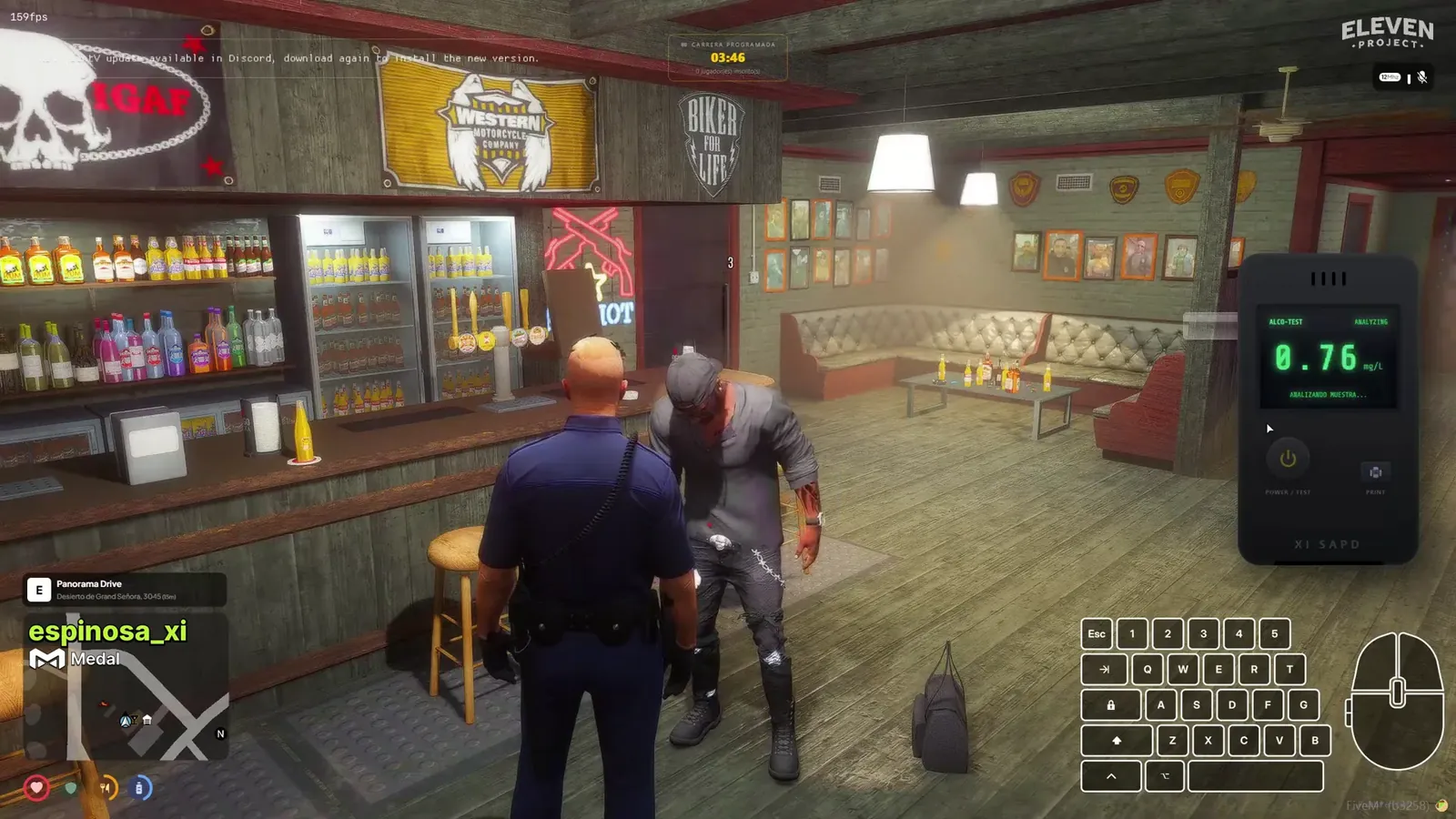
The server does not open the test if the officer is not carrying the alcoholimetro, if the subject is more than SEARCH_RADIUS + 2 m away (a margin for position lag) or in another bucket; the officer sees "There is nobody close enough" or "You need a breathalyzer".
With a reading of 0.50 mg/L or more, the subject collapses for a few seconds when blowing (not inside a vehicle). The device is not used up.
Where the reading comes from
Eleven Police measures breath alcohol (mg/L of exhaled air); getting people drunk is your drinks system's job. You choose with Config.AlcoholType in your config.lua:
| Value | What it does |
|---|---|
'auto' (default) | Uses ox_inventory's reading if it publishes one; otherwise 'interno' |
'interno' | The resource keeps it itself: it adds the dose of every drink someone consumes and lowers it over time |
'my-resource' | The name of your drinks resource. It connects automatically if it exposes getBreathAlcohol, getBloodAlcohol, getAlcoholLevel, getAlcohol or getDrunkLevel |
'none' | The device always reads 0.00 |
If your resource names it differently, write an adapter. It takes priority over Config.AlcoholType and returns mg/L of exhaled air:
Config.AlcoholAdapter = function(src, citizenid)
    return exports['my-drinks']:level(src) * 0.5   -- if it gives g/L of blood
end
With the 'interno' branch, a freshly installed server can run checks on day one: the four stock ox_inventory drinks already have a dose (beer 0.08, wine 0.10, vodka and whiskey 0.14). For your own, add an alcohol field to the drink in your ox_inventory/data/items.lua:
['cider'] = { label = 'Cider', weight = 500, alcohol = 0.06 },
Or, for a one-off, Config.Overrides = { ['AlcoholConfig.Items'] = { cider = 0.06 } }.
Another resource can also push the reading with a server export. See Exports and hooks.
police-doctor and the console on start tell you what it is measuring with.
Testing it without drinking
From the server console:
police-bac 12          # what the breathalyser would read for player 12
police-bac 12 0.30     # sets their reading to 0.30 mg/L (only with the 'interno' branch)
Device settings
In config/alcoholconfig.lua; change them with Config.Overrides (['AlcoholConfig.LEGAL_LIMIT'] = 0.25…).
| Key | Default | What it is |
|---|---|---|
LEGAL_LIMIT | 0.12 | Legal limit in mg/L. Above it, positive |
BROKEN_LIMIT | 0.50 | From here the subject collapses when blowing. false turns it off |
DECAY_PER_MIN | 0.01 | How much the reading drops per minute |
MAX_MGL | 1.50 | Reading cap |
CLEAR_ON_DEATH | true | Dying resets the reading to zero (checked on the server) |
ERROR_CHANCE | 0.10 | Chance of a wrong reading |
BLOW_DURATION / ANALYZE_DURATION | 10 / 2.5 | Seconds of blowing and of analysis |
SEARCH_RADIUS | 2.2 | Maximum distance to the subject, in metres |
Items | 4 drinks | Dose per item ('interno' branch) |
ItemField | 'alcohol' | Item field holding its dose. false turns it off |
SourceScale | 1.0 | Multiplier for what an external resource returns (0.5 if it gives g/L, 0.01 if it gives 0-100) |
Fingerprints
- The officer uses the
kit_huellason someone within 2.2 m (SEARCH_RADIUS). - The scanner opens for the officer and the subject at the same time and the finger is scanned.
- The first time it shows NEW RECORD and the print is saved on the character. After that, MATCH against their file.
- The officer gets the
resultado_huellasticket and the record is saved in the file's Fingerprints tab.
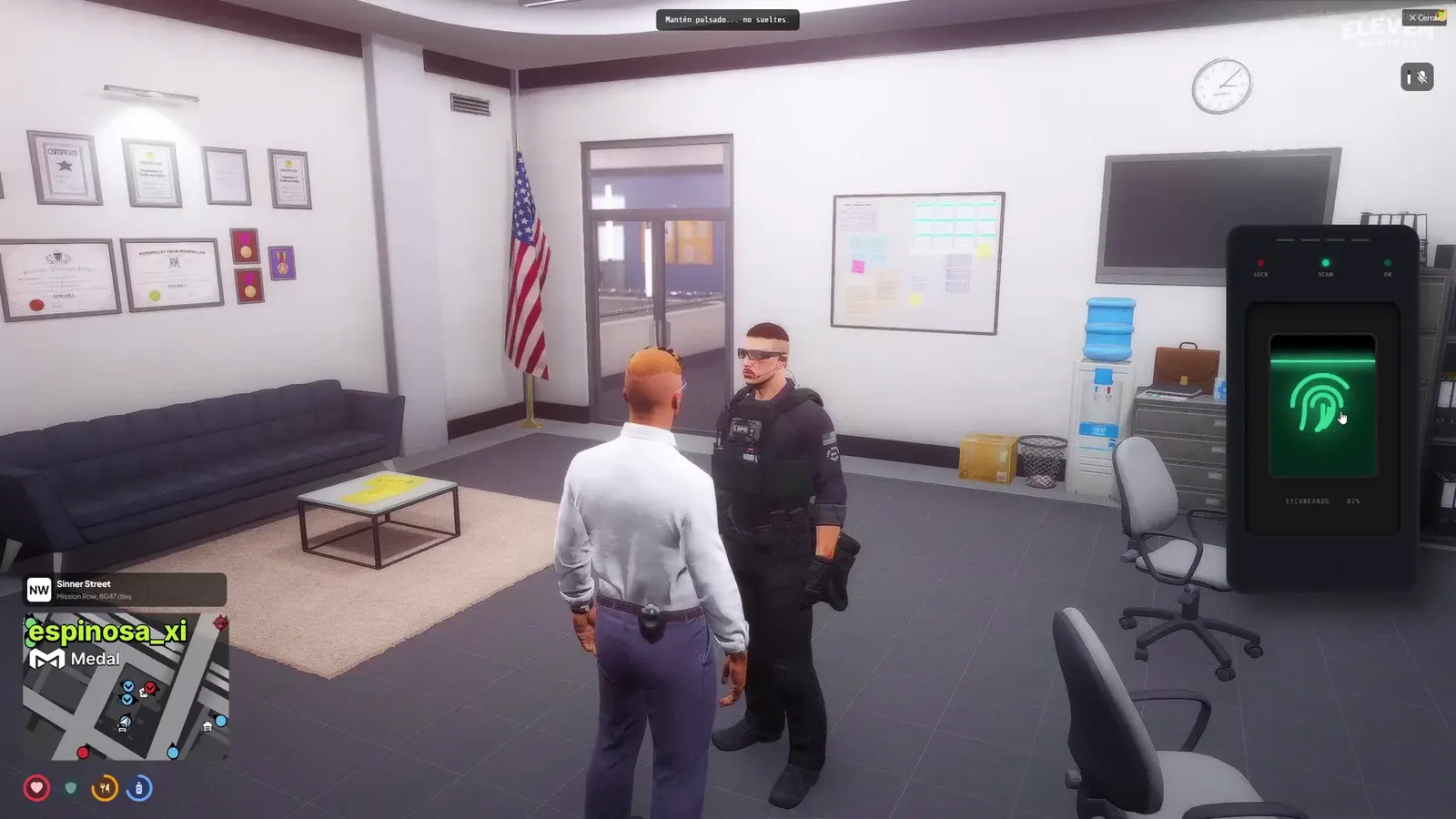
The sensor can fail (10% of the time it reads COULD NOT READ DATA): try again. The kit is not used up.
As with the breathalyser, the server requires carrying the kit_huellas and the subject being at most SEARCH_RADIUS + 2 m away and in the same bucket.
Settings in config/fingerprintconfig.lua, with Config.Overrides (['FingerprintConfig.ERROR_CHANCE'] = 0…): SEARCH_RADIUS (2.2 m), SCAN_INCREMENT, ERROR_CHANCE (0.10) and ANALYZE_DURATION (1.5 s).
Mugshots
A station point where the officer photographs a suspect with the same framing every time. The module takes the photo itself, and it is saved in the tablet gallery and as the photo on the detainee's file.
Important
It ships without a point. Until you add yours in Config.MugshotPoints, "Take mugshot" shows nowhere and the console warns on start. See General configuration.
How it is used:
- The officer brings the detainee to the point. At the point, the on-duty officer picks Take mugshot with ox_target.
- They type the ID of the player to photograph (the number shown above their head).
- Both are moved to the point, in a separate world, with the point's camera, fixed time and weather and the HUD hidden. The subject stands at
subjectand plays the emotes inConfig.MugshotEmotes. - With left click, the officer takes the photo: it is captured from the fixed camera with
screenshot-basicand the server uploads it through the same storage as the tablet gallery (the FiveManage key orConfig.FotosAlmacen). It is saved in the gallery and as the photo on the detainee's file. - Right click ends it: both go back to where they were.
The server checks that the officer is on duty, that the point exists and that the officer is within its radius plus 3 m. The detainee must be within 5 m of the officer and in the same routing bucket; otherwise the officer sees "The detainee has to be next to you (a few metres) at the photo point". They do not need to be cuffed.
If the detainee's file is locked with a password and the officer has not unlocked it, the photo only goes to the gallery. Without a FiveManage key or Config.FotosAlmacen, the photo is not uploaded and the officer gets a warning; check the photo storage with police-doctor. See Photos and branding.
| Key | Default | What it is |
|---|---|---|
Config.MugshotPoints | {} | The points. You can add several. Fields: target, radius, subject, officer (optional), camera, cameraRot, fov |
Config.MugshotEmotes | { 'e airforce04', 'e crosshands' } | Emote commands the subject plays. They depend on your emote menu |
Config.MugshotEmoteCancel | 'e c' | Command that cancels the emote at the end |